Transactions
States
enum class TransactionState {
    /**
     * Transaction is idle and ready to start
     */
    READY,

    /**
     * Attempting connection to the [ToroClient.selectedDevice]
     */
    CONNECTING_TO_DEVICE,

    /**
     * Awaiting confirmation of gratuity amount from the customer
     * Only applicable if [ToroConfig.gratuityEnabled] is true
     */
    AWAITING_GRATUITY,

    /**
     * Awaiting customer to present card on any interface (contact, contactless, magswipe).
     */
    AWAITING_CARD,

    /**
     * Awaiting customer signature (in app or on device).
     * @see ToroConfig.signatureMode
     */
    AWAITING_SIGNATURE,

    /**
     * Awaiting customer to enter PIN on the device.
     */
    AWAITING_PIN_ENTRY,

    /**
     * Awaiting customer to select application on the device.
     */
    AWAITING_APPLICATION_SELECTION,

    /**
     * Contacting the gateway to authorise the transaction.
     */
    AUTHORISING,

    /**
     * Transaction was completed successfully and an
     * outcome was received (approved, declined etc.)
     */
    COMPLETED,

    /**
     * Transaction was cancelled by the user or operator
     */
    CANCELLED,

    /**
     * Transaction failed due to an error
     */
    FAILED
}
Transaction State Listener
To receive transaction state updates, you can implement the TransactionStateListener and register it with the ToroClient instance:
val transactionStateListener = TransactionStateListener { newState ->
    // Handle transaction state updates here
}

// Register the listener with the ToroClient instance
toro.setTransactionStateListener(transactionStateListener)
Alternatively, you can use the transactionState property on the ToroClient instance to check the current state of the transaction:
val transactionState = toro.transactionStateThis will return the current transaction state as a TransactionState enum value.
Metadata
The TransactionMetadata class allows you to include additional information with purchases and refunds.
/***
 * Optional metadata for the transaction
 */
data class TransactionMetadata(

    /**
     * Custom ID for the transaction. This saleReferenceId will be returned in the [TransactionReceipt].
     * Max length is 35 characters.
     */
    val saleReferenceId: String? = null,

    /**
     * The gratuity amount for the transaction.
     * The gratuity amount is added to the transaction amount specified in startTransaction().
     * This is useful if you are wanting to use a custom gratuity flow outside of the SDK.
     */
    val gratuityAmount: Int = 0,

    /**
     * Details of the original transaction that is being refunded, cancelled or completed.
     * Not applicable for purchases.
     */
    val originalTransactionDetails: OriginalTransactionDetails? = null,

    /**
     * Any other additional data you want returned in the [TransactionReceipt]
     * This data will be sent in the `AcceptorAuthorisationRequest` - AccptrAuthstnReq/AuthstnReq/Tx/TxDtls/AddtlInf
     */
    val additionalInformation: Map<String, Any?> = emptyMap()
)
Cancelling an in-progress transaction
To cancel an in-progress purchase or refund, you can call the cancelTransaction method on the ToroClient instance:
toro.cancelTransaction()This will also close the USB/Bluetooth session with the Miura device if it is open.
Card events
Possible events and their descriptions are below:
enum class CardEvent {
    /**
     * Card inserted into the chip reader
     */
    CardInserted,

    /**
     * Card removed from the chip reader
     */
    CardRemoved,

    /**
     * Card swiped on magnetic stripe reader
     */
    CardSwiped,

    /**
     * Represent the card on any interface
     */
    TryCardAgain,

    /**
     * Represent the card using either chip or magnetic stripe reader
     */
    InsertOrSwipeCard,

    /**
     * Represent the card using chip reader
     */
    InsertCard;
}
Card Event Listener
The SDK will notify you of card events using the CardEventListener interface. You can register a CardEventListener with the ToroClient instance like so:
val cardEventListener = CardEventListener { event ->
    // Handle card events here
}

// Register the listener with the ToroClient instance
toro.setCardEventListener(cardEventListener)
Signatures
The SDK provides two different methods for collecting cardholder signatures. The method used depends on the signatureMode set in the ToroConfig. See configuration for more information.
SignatureMode.DEVICE
The signature will be captured on the Miura device. This is only applicable to devices which have a touch screen (e.g., M021). No additional configuration is required for this mode to work.
SignatureMode.APP
The signature will be captured in the app. This can be used for all devices, and requires some setup for it to work. This setup can be seen in the TransactionProcessingFragment in the sample application.
@AndroidEntryPoint
class TransactionProcessingFragment : Fragment() {
    private var _binding: FragmentTransactionProcessingBinding? = null
    private val binding get() = _binding!!

    @Inject
    lateinit var toro: ToroClient

    override fun onCreateView(
        inflater: LayoutInflater, container: ViewGroup?,
        savedInstanceState: Bundle?
    ): View {
        _binding = FragmentTransactionProcessingBinding.inflate(inflater, container, false)

        handleSignature()
        return binding.root
    }

    private fun handleSignature() {
      // Register for the signature activity result
      val launcher = registerForActivityResult(
          ActivityResultContracts.StartActivityForResult(),
          toro.signatureActivityResultCallback
      )

      // Pass the launcher to the ToroClient instance so it can
      // process the result
      toro.setSignatureLauncher(launcher)
  }
}
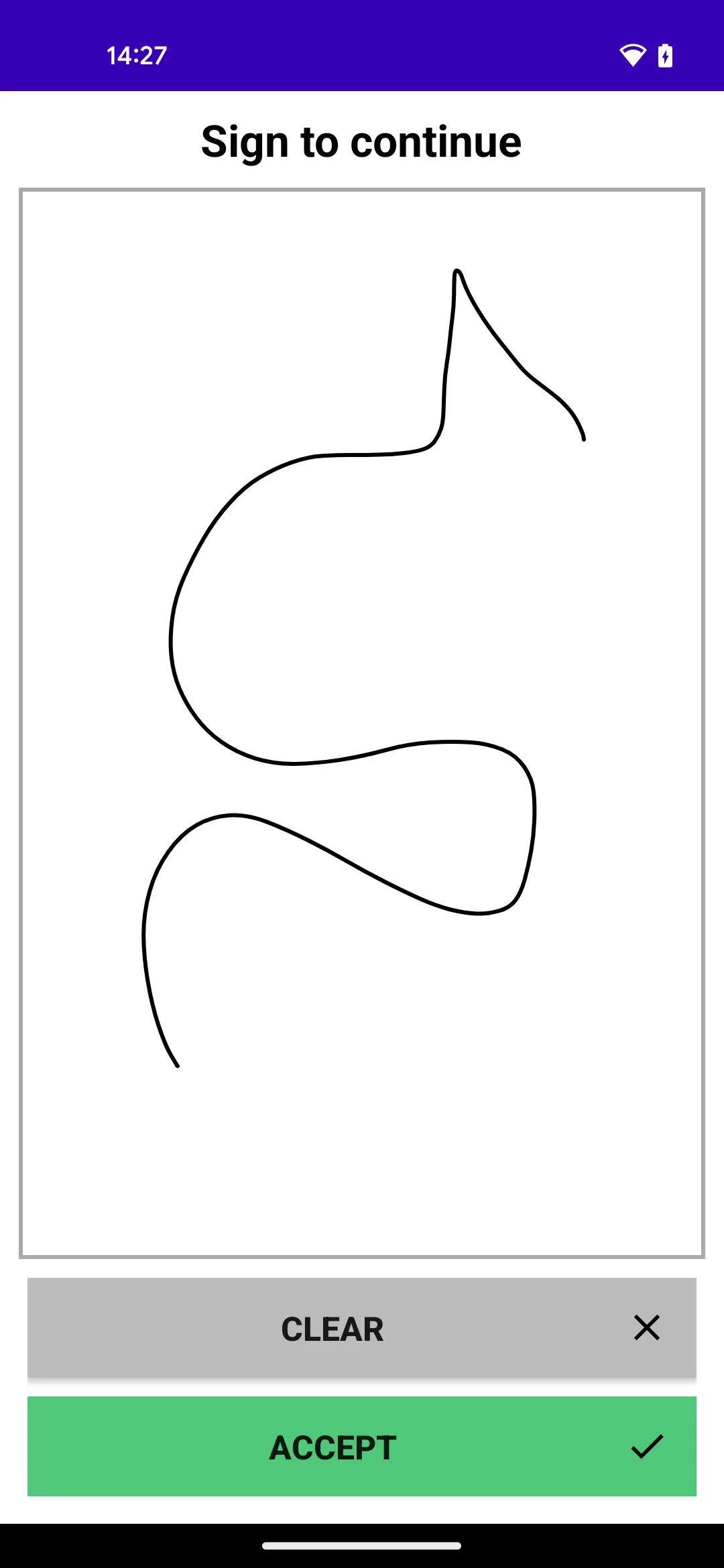
In your app, you should call toro.setSignatureLauncher(launcher) in the activity/fragment where the transaction will be in a AWAITING_SIGNATURE state.
The SDK will then automatically launch the SignatureActivity when required. The activity is shown below.
Receipt
Below is the TransactionReceipt object you will receive in the onCompleted callback when calling startTransaction() for a purchase or refund.
data class TransactionReceipt(
    /**
     *  Unique reference number to identify the transaction.
     *  Can be set in [TransactionMetadata].
     */
    val saleReferenceId: String? = null,

    /**
     * The total amount of the transaction represented in the smallest
     * unit of the currency, e.g. cents for USD, pence for GBP.
     */
    val amount: Int,

    /**
     * The amount of the transaction that was authorised by the acquirer.
     * In most cases the same as [amount], but can differ e.g. partial approvals.
     */
    val authorisedAmount: Int? = null,

    /**
     * The type of transaction. Purchase, refund.
     * @see TransactionType
     */
    val type: TransactionType,

    /**
     * Gratuity amount confirmed by the customer.
     * This can be set either through [TransactionMetadata] or
     * when [ToroConfig.gratuityEnabled] is set to true and the built in
     * gratuity flow is used.
     */
    val gratuityAmount: Int,

    /**
     * The currency of the transaction.
     */
    val currency: CurrencyCode,

    /**
     * The authorisation code set by the acquirer.
     */
    val authCode: String? = null,

    /**
     * The result of the authorisation (acquirer decision).
     * Typically APPROVED or DECLINED.
     */
    val responseCode: ResponseCode,

    /**
     * The reason for the [ResponseCode].
     */
    val responseReason: String? = null,

    /**
     * Cardholder Verification Method
     */
    val authenticationMethod: AuthenticationMethod8? = null,

    /**
     * Additional response information (from gateway or acquirer).
     */
    val additionalResponseInformation: String? = null,

    /**
     * Also known as the authorisation response code.
     * EMV tag 8A set by the acquirer.
     */
    val actionCode: String? = null,

    /**
     * Application identifier of the card that was presented
     */
    val aid: String? = null,

    /**
     * Application label of the card that was presented
     */
    val applicationLabel: String? = null,

    /**
     * The payment interface used to process the transaction.
     * E.g. Contactless.
     */
    val paymentInterface: PaymentInterface,

    /**
     * The first 6 or 8 digits of the Primary Account Number (PAN).
     * AKA Bank Identification Number (BIN).
     */
    val panStart: String?,

    /**
     * The last 4 digits of the Primary Account Number (PAN).
     */
    val panLastFour: String?,

    /**
     * Identifier set by the recipient (acquirer) to reference the transaction.
     * This can be the same as the [initiatorTransactionId] depending on the acquirer.
     */
    val recipientTransactionId: String?,

    /**
     * Identifier set by the initiator (merchant) to reference the transaction.
     * The Toro SDK handles this internally and cannot be overridden by the host application.
     */
    val initiatorTransactionId: String?,

    /**
     * Unique identification of the transaction assigned by the POI (Point Of Interaction)
     */
    val transactionReference: String?,

    /**
     * The date and time the transaction occurred in ISO 8601 format.
     */
    val dateTime: String?,

    /**
     * The serial number of the terminal the transaction was processed on.
     */
    val terminalSerialNumber: String,

    /**
     * Cardholder signature base64 encoded if applicable.
     */
    val signatureBase64: String? = null,

    /**
     * Indicates whether the signature verification failed, either due to
     * merchant rejection or customer cancellation during signature entry.
     * The host application should send cancellation advice in this case.
     */
    val signatureVerificationFailed: Boolean = false,

    /**
     * Whether the transaction was captured by the acquirer.
     */
    val captured: Boolean,

    /**
     * The latitude of the device at the point of transaction.
     */
    val longitude: String? = null,

    /**
     * The longitude of the device at the point of transaction.
     */
    val latitude: String? = null,

    /**
     * The custom data set in [TransactionMetadata]
     */
    val additionalInformation: Map<String, Any?>? = null
)